September 6, 201610 yr È un gioco prodotto dai fans e ha destato molto scalpore, tanto da smuovere persino la Nintendo, che ne ha vietata la diffusione. Qualcuno ci gioca? Edited September 6, 201610 yr by Pix
September 6, 201610 yr no ma 4 youtuber che seguo fanno gameplay benche non mi piaccia devo dire che è fatto discretamente bene salvo lag. Gira e rigira il gioco resta sempre monotono.
September 11, 201610 yr mai giocato... uno me l'ha anche consigliato, ma non lo trovo... o.o La Nintendo li ha costretti a chiudere il progetto purtroppo...
September 11, 201610 yr peccato... Le funzioni online (da quanto ho letto) non funzionano più. Però il gioco si può scaricare da siti mirror: http://pkmnuranium.weebly.com/downloads.html
September 11, 201610 yr Author La Nintendo li ha costretti a chiudere il progetto purtroppo... Ci credo, più plagio di così!
September 11, 201610 yr Le funzioni online (da quanto ho letto) non funzionano più. Però il gioco si può scaricare da siti mirror: http://pkmnuranium.weebly.com/downloads.html ora mi salvo il link XD
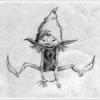
September 13, 201610 yr ci sto giocando (anche se da poco) mi piace molto la grafica del gioco, anche se alcuni pokemon (soprattutto gli started) fanno pena... per ora l'unico carino è Birbia XD

Join the conversation
You can post now and register later. If you have an account, sign in now to post with your account.